
CMS Software for Media Companies: A Complete Buyer’s Guide
Media companies don’t usually wake up thinking, “We need new CMS software.”
It’s more often triggered by friction. Content going live late. Metadata mismatches. Teams working in silos. Someone exporting the same file three times because no one’s sure which version is final.
Why CMS Means Something Different for Media Companies

CMS software in media environments does more than store content. It manages and streamlines it efficiently.
Videos, graphics, schedules, rights information, metadata. All of these move through different teams. Editorial, traffic, scheduling, sales operations. Sometimes all at once.
A generic CMS might handle articles well. But media companies need systems that understand broadcast realities. Timing matters. Formats matter. Compliance matters. And delays ripple outward quickly.
That’s why CMS selection often feels heavier for media organizations. The stakes are higher.
Also Read: How Cloud Broadcasting Enhances Efficiency and Flexibility for TV Channels
Content Is Only Half the Story
One common mistake is evaluating CMS software purely on content creation features. Traffic looks for ease of use. Sales ops want fast booking uploads. All valid concerns.
But for media companies, CMS software also has to work downstream. How does content move into playout systems? How does it connect with Broadcast Software? How does it support scheduling and monetization?
If a CMS stops at publishing, it’s incomplete.
Integration with Broadcast Software Is Non-Negotiable
This is where many buying decisions quietly fail.
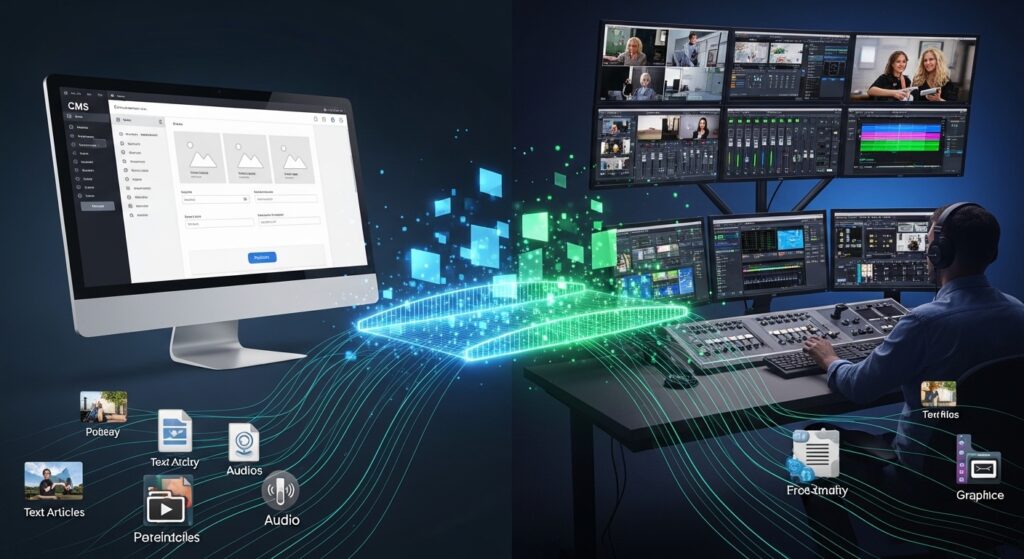
CMS software that doesn’t integrate well with Telecast Software creates manual handoffs. Files get re-uploaded. Metadata gets re-entered. Errors creep in. People double-check things they shouldn’t have to.
Strong CMS platforms like BOSS Studio integrate directly with broadcast systems. Content flows cleanly from creation to scheduling to playout. Changes propagate without constant coordination meetings.
This kind of integration supports smoother broadcast management and reduces operational fatigue.
Also Read: How Television Scheduling Software Transforms Broadcast Management and Efficiency
Metadata Is Boring. And Critical.
No one gets excited about metadata. But when it’s wrong, everyone feels it.
Titles, descriptions, rights windows, languages, regions. These details affect scheduling, compliance, and discoverability. A CMS that treats metadata as an afterthought creates long-term problems.
Good CMS software enforces structure without becoming rigid. It guides users to enter what’s needed, without overwhelming them. And it ensures that metadata remains consistent across systems involved in broadcasting management.
This is one of those areas where “good enough” rarely is.
Workflow Matters More Than Features
Feature lists look impressive. But workflows determine daily experience.
How many clicks does it take to move content forward? Who approves what? What happens when something changes last minute?
Media companies move fast. CMS software should support that pace, not slow it down with unnecessary steps.
Flexible workflows allow teams to adapt. News behaves differently from entertainment. Live content behaves differently from pre-recorded. A CMS should reflect that reality.
This flexibility supports better broadcast management without forcing everyone into the same process.
Cloud-Based CMS Is Becoming the Default
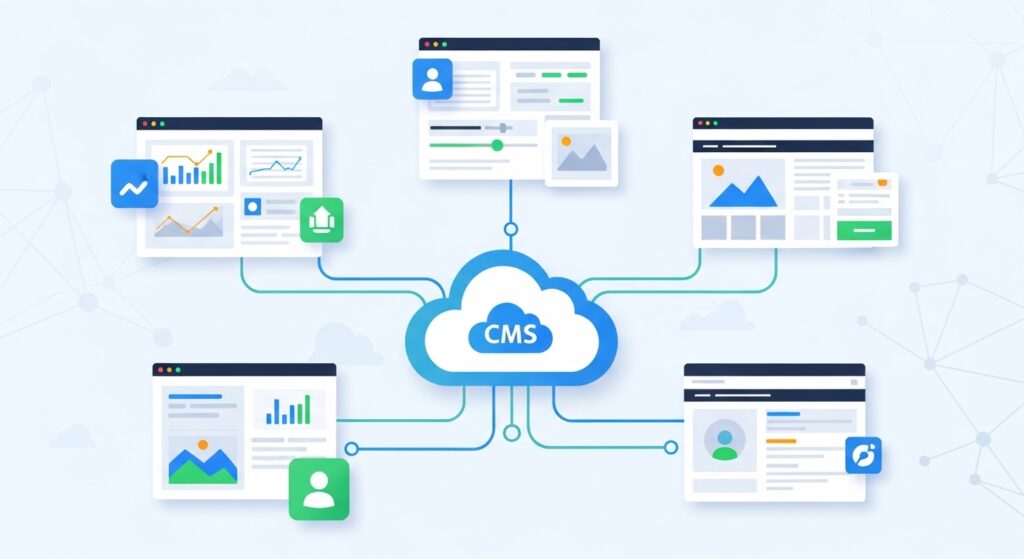
On-premise systems still exist. But increasingly, media companies are leaning toward cloud-based CMS platforms.
The reasons aren’t always dramatic. Remote access. Easier updates. Fewer infrastructure headaches. Better collaboration across locations.
Cloud-based CMS software fits naturally into modern broadcasting management models where teams aren’t always in the same building. Or even the same country.
And once teams experience that flexibility, expectations shift quickly.
Also Read: Choosing the Right Radio Broadcast Software: A Station’s Guide
Scalability Is About Calm, Not Just Growth
Scalability usually gets framed as growth. More content. More channels. More platforms.
But there’s another side to it. Calm.
A scalable CMS doesn’t panic when volumes increase. It doesn’t slow down during peak periods. It doesn’t require emergency workarounds when something unexpected happens.
For media companies, scalability is about resilience. The ability to absorb pressure without chaos. That matters as much as growth itself.
Conclusion
Today, the focus of a media broadcasting company is not only on managing content but also scaling and monetizing its digital operations more effectively while delivering an excellent experience for audiences (be it paid or free) on multiple channels seamlessly, then choosing the right CMS becomes all-the-more critical. The optimal answer should help achieve flexibility, automation and performance while keeping pace with an always evolving media landscape.
BOSS Studio is a comprehensive CMS built from ground up for modern broadcasters, OTT platforms and radio networks that make it future-ready. Combining powerful features, easy to follow workflows and scalability at its heart, it allows media companies a simplified approach to content management by utilising the Monetisation engine which drives distribution and enables new revenue opportunities.
And if you want to retain a competitive edge and future-proof your media operations, investing in a smart CMS like BOSS Studio is not optional — it’s imperative.
FAQ’s
1. How is CMS software for media companies different from standard CMS platforms?
Media CMS platforms like BOSS Studio focus on content workflows, metadata, scheduling, and integration with broadcast systems rather than just publishing pages.
2. Why is integration with Broadcast Software important?
Integration reduces manual work, prevents errors, and ensures content flows smoothly from creation to playout.
3. Is cloud-based CMS better for media companies?
Often yes. Cloud-based CMS platforms like BOSS Studio support remote collaboration, easier scaling, and modern broadcasting management needs.
4. What role does CMS play in broadcast management?
CMS software manages content readiness, approvals, metadata, and handoffs, supporting smoother broadcast scheduling and operations.
5. How should media companies evaluate CMS software before buying?
They should focus on workflow fit, integration capabilities, scalability, metadata handling, and how well the CMS supports existing broadcasting management processes